Showing posts with label iPhone Development. Show all posts

Sunday, May 25, 2025

Accessing iOS App Files

iOS apps are built on a sandbox infrastructure, which normally makes it difficult to access the files within an app.

However, as an iOS developer with an app on the App Store, I’ve found a way to view my app’s contents using the Xcode application.

In Xcode, go to Window → Devices and Simulators to open the relevant window. You should see your connected iPhone there. In the Installed APPS panel, click the + button to add your app if it isn’t already listed. Once added, your app will appear in the list.

To view the contents of the app, you need to download it first. Click the ... button next to the app name and select Download from the options.

Once downloaded, you can view the package contents from Finder. The file I’m most interested in is the core database of my app. From here, I can easily examine all supporting files, including the database itself. Finder allows me to open the files I need and verify their contents.

This is an extremely valuable and convenient tool for iOS developers. It allows me to verify, back up, and review the app’s contents on my iPhone before making further changes. I can also modify and replace content for testing purposes, and then incorporate those changes into my Xcode project after thorough testing.

For example, I’ve recently been working on an update to migrate from a single database store to multiple database stores. This change lays the foundation for future features and improvements in data access efficiency. However, it involves a major overhaul of the project, affecting many parts of the codebase. I was concerned about testing these changes on my iPhone, especially because I didn’t want to risk losing 18 years of valuable collected data. With this tool, I can now safely back up my app by selecting Download container... before running any tests. If anything goes wrong, I can easily restore the app using the Replace container... option.

References

  • Try searching for "access iPhone app files on Mac from Xcode". As of May 25, 2025, the top results (possibly generated by AI) provided exactly the guidance I needed to begin my research.

Other Blogs

Read More...

Friday, August 12, 2022

Building a Bridge between Swift and JS

This was a challenge for me to make Swift talk to JS or JS to Swift. I have been working on an iOS app for years. With so many years of practice, I think I am very good at a deep technical level. I have also done a lot of html and JS programming. What I know about JS is mainly based on what I need to do on my blog.

In my app updates, what I need to do is to provide some information to users about how to use the app. An HTML view is a good choice for this purpose. However, I encountered a challenge that some of the information HTML needs is actually available easily on the Swift side. How can I let JS make a request to Swift, and then Swift pass the requested information back to JS?

This is what I mean by a bridge between Swift and JS.

Working Environment

In my project, I use a simple ViewController with a WKWebView UI component. The class is a very simple one. In the viewDidLoad event, an html file will be loaded into WKWebView. The content defined in the html file will be displayed on the view screen.

  1. class MyWebViewController: UIViewController
  2. {
  3.   @IBOutlet weak var webView: WKWebView!
  4.   {
  5.     didSet {
  6.       setup() // Place 1: magic will be injected from here.
  7.     }
  8.   }
  9.   var htmlUrl: URL? = nil
  10.   override func viewDidLoad()
  11.   {
  12.      super.viewDidLoad()
  13.      guard let url = htmlUrl else { return }
  14.      webView.loadFileURL(
  15.            url
  16.            allowingReadAccessTo: url)
  17.      let request = URLRequest(url: url)
  18.      webView.load(request)
  19.   }
  20.    override func viewWillDisappear(_ animated: Bool)
  21.    {
  22.        super.viewWillDisappear(animated)
  23.        // Place 2: some codes to be added here.
  24.    }
  25. }

My html file contains information about how JS is loaded. Normally, a JS script file is defined in the head section. For example,

  1. <head>
  2.   <meta charset='UTF-8'/>
  3.   <!-- JS functions used in html  -->
  4.   <script type="text/javascript" src="../myScriptFile.js"></script>
  5.   ...
  6. </head>

As you can see from the above structure, I have a view controller with a web viewer, in Swift code to present html content. The JS files which will be referenced from html are in my project bundle. This is my working environment.

A Case Study

Here is my case. In my html content, there is one element for displaying my app version.

<h2 class="center">Version <span id="appVersion">to be filed</span></h2>

This could be easily done by using a JS function like this:

  1. function swift2JSCallFor(appVersion) {
  2.    let e = document.getElementById("appVersion");
  3.    e.innerHTML = appVersion;
  4. }

The version string can be easily obtained in Swift code. How can I make a call from Swift to this JS function with version information?

WKScriptMessageHandler as a Gateway

Fortunately, Apple provides an API for the case of my view controller with WKWebView. WKScriptMessageHandler is the name of this API. This handler protocol can be implemented as a message channel gateway between Swift and JS.

This gateway could be implemented in my view controller class. There are some codes required to set it up. The disadvantage of doing this in my view controller is that I would have to repeat a block of similar code again and again in other view controller classes if I needed to do a similar thing. Another point is that adding some codes just for this kind of gateway would pollute my view controller class and make it harder to read and maintain.

Build My Gateway Class

After my thorough study and tests of this framework and a good understanding of what is required, I decided to create a new class to encapsulate the business logic or structure outline inside my class and expose the necessary settings for customizing.

  1. import WebKit
  2. typealias ScriptMessageHandlerBlock =
  3.    ((WKUserContentController,
  4.      WKScriptMessage) -> ())
  5. class MyWKScriptBridgeHelper: NSObject
  6. {
  7.    init(
  8.        observer: String,
  9.        scriptMessageHandlerBlock: ScriptMessageHandlerBlock?
  10.    )
  11.    {
  12.        webObserver = observer
  13.        wKScriptMessageHandlerBlock = scriptMessageHandlerBlock
  14.    }
  15.    private var webObserver: String = ""
  16.    private var wKScriptMessageHandlerBlock:
  17.    ScriptMessageHandlerBlock? = nil
  18.    var webObserverName: String {
  19.        return webObserver
  20.    }
  21. }
  22. extension WKScriptMessageHandler: WKScriptMessageHandler
  23. {
  24.    func userContentController(
  25.        _ userContentController: WKUserContentController,
  26.        didReceive message: WKScriptMessage)
  27.    {
  28.        guard let block = wKScriptMessageHandlerBlock else
  29.        {
  30.            return
  31.        }
  32.        block(userContentController, message)
  33.    }
  34. }

The class logic is simple. Only two parameters are required to create an instance of this class. One is a webObserver name, which will be called from JS to Swift to the gateway implemented in this class. Another one is a block of code where Swift information will be gethered or prepared and JS functions will be called.

Set it up on the Swift Side

OK, so far so good. It is time to put it all together in practice!

In my view controller class, there are two places where I will put some code. The first place is to set up my gateway instance of the MyWKScriptBridgeHelper class.

  1. class MyViewController
  2. {
  3.  private var scriptHelper: MyWKScriptBridgeHelper!
  4.    ...
  5.  private func setup()
  6.  {
  7.    let webObserver = "appVersion"
  8.    let block: ScriptMessageHandlerBlock
  9.        = {
  10.            [weak self] (userController, message) in
  11.            guard let this = self else {
  12.                return
  13.            }
  14.            // Make sure that it is html js function callback
  15.            guard message.name ==
  16.                    webObserver else {
  17.                return
  18.            }
  19.            // get app version string
  20.            let v = ... // get app version
  21.            let jsFunc = String(
  22.                format: "swift2JSCallFor('%@')",
  23.                v)
  24.            // Sends back app version to hml js function
  25.            this.webView.evaluateJavaScript(
  26.                jsFunc,
  27.                completionHandler: nil)
  28.        }
  29.        scriptHelper = MyWKScriptBridgeHelper(
  30.            observer: webObserver,
  31.            scriptMessageHandlerBlock: block)
  32.  }
  33.  ...
  34. }

In this setup(), two parameters are prepared for creating the instance of MyWKScriptBridgeHelper. One is the name of "webObserver" as the message name of the gateway. Another one is the block to verify the right message is received, to prepare the app version, and finally call a JS function "swift2JSCallFor()" to send the app version to the JS side.

The second location is in the view controller disappear event, where you should perform some cleaning by removing any message handlers and deallocating scriptHelper to avoid memory leaks.

  1. override func viewWillDisappear(_ animated: Bool)
  2. {
  3.   super.viewWillDisappear(animated)
  4.   guard let sh = scriptHelper else { return }
  5.   // Clear message handler from script helper
  6.   webView.configuration.userContentController.removeScriptMessageHandler(
  7.       forName: sh.webObserverName)
  8.   scriptHelper = nil
  9. }

That's all I need to do to set my gateway up. First, the gateway will handle a message requesting the app version from the JS side. Then it will call a JS function to pass the app version to JS.

HTML and JS Configuration

On the html and JS side, the first step is to make a request to Swift for the app version. This can be done by calling a JS function on html body element's onload attribute.

  1. <body onload="updateVersion()">
  2. ...
  3. <h2 class="center">Version
  4. <span id="appVersion">to be updated...</span></h2>
  5. ...
  6. </body>

The second step is to set up Javascript functions to make a request and to handle Swift calls.

  1. function updateVersion()
  2. {
  3.  try {
  4.    var msg = {}; // for empty parameter, it has to be {}
  5.    // "appVersion" is the request message name on Swift side
  6.    window.webkit.messageHandlers.appVersion.postMessage(msg);
  7.  } catch(err) {}
  8. }
  9. // function to be called from Swift to pass app version
  10. // to JS.
  11. function swift2JSCallFor(appVersion) {
  12.  let e = document.getElementById("appVersion");
  13.  e.innerHTML = appVersion;
  14. }

The comment description in the Javascript explains everything. That's all. With the above configuration, Swift and JS can talk to each other and pass the required information as needed.

Here is a snapshot of my html view with the correct version updated. I am so happy that this update will be automatically done and I don't need to touch the html file in future updates.

I have a short summary at the conclusion of this blog. Swift-JS communication was new to me. I spent more than one week investigating and doing my tests. The above strategy is based on other resources (see references) and my effort. This is not the best and complete solution. I may miss something. Please leave comments and provide your better solutions. Critics are welcome.

References

Read More...

Friday, August 04, 2017

Self-reference and clousure

Here is a great short video explaining reference type and how to properly use it in closure by Brain's How to Build That App in YouTube.


Read More...

Saturday, January 28, 2012

iOS Training Cource by Stanford University

I wrote the following blog while I was in Wuhan, China, during my vacation. For some reason, I could not access to my blogger there. I had to write my blogs in my sina blog. Now I copy the blog back to my programming blog.


I had to write my English blog at Sina blog web site since the Blogger is not accessible, during my visit to my extended family in Beijing and Wuhan. Fortunately, I have a Sina blog account so that I can continue to write my blog. I'll copy this blog to my Blogger when I get back.

Before I left for China, I found that iOS training by Stanford University(SU) was released. This is fall session course, started being published in Nov 2012. SU started to provide iPhone training courses several years ago, and I watched all the past iPhone training courses. I enjoy watching those courses very much. Even the course is an entry program for developers about iPhone application and Objective-C, the content has been kept up with the update of iOS. Based on the techniques and knowledge I learned from the course, I started my iPhone application development. I have to say that SU's course helps me a lot.

I think that SU's training course was one of a few educational programs for iPhone development and Obective-C. I greatly appreciate the updated content of the course along with the iOS progress. This time, the SU's iOS course has so many new contents about iOS 5. This course is quite different from the previous ones. For example, there is no more memory management by keeping track of reference counts. The XCODE is based on the new version of XCODE 4. The storyboard is included in the course as well. I think this course is a must-watch program for every iPhone and iPad developer.

I like the instructor, Paul Hegarty, very much. He started to teach this course last year. In this training, during the date Steve Jobs passed away, he revealed that he was in part of Steve Jobs' NeXT computer team in the early years. Later on he moved to University to teach computer courses. He is very knowledgable in Mac and iOS development.

I have downloaded all available classes before my leave from iTunes U. Now (Jan 7, 2012) I finished about 7 classes.

It seems that all those courses are available in iTunes U in China. The iTunes U course is in two formats: one in SD and another in HD. There is big difference in size. HD, in hight definition, takes a lot of spaces and thence takes too long time to download. For me, it is just a course to learn new things, and most likely I would not watch it again. Therefore, I would recommend to download the SD serials instead. Search for "iPhone" in iTunes to find SD serials.


References


Read More...

Sunday, September 25, 2011

My Collection of Programming Podcasts

Podcasts are important information resources I have in the past years. I listen and watch for those audio and video podcasts during slices of my time, on the way to and from work, lunch time, weekends, and anytime available for me such rest time during camping.

Basically, I sync my Apple mobile devices at lest once a week through iTunes. Here are the collection of podcasts I have right now:

Audio/Video podcasts:


  • CNET: Buzz Out Loud (Tech news)
  • DailyAppShow (iOS device app reviews, videos)
  • GeekBeatTV (Tech video show)
  • Hanselminutes (.Net tech news/programming)
  • HerdingCode (.Net programming)
  • iPone/iPad/Android App Reviews by CrazyMikesapps (videos)
  • jQuery for Designers - screencasts and turotirals (videos)
  • CNET: Loaded (videos)
  • Mac Geek Gab
  • the Maccast for Mac Geeks by Mac Geeks
  • MacMost Now - Mac and iPhone Tips and Tutorials (videos)
  • MacTalk
  • Macworld podcasts
  • .Net Roks!
  • ScreenCastsOnline Free Version (videos)
  • Tech NightOwl
  • Today in iOS Podcast - The Unofficial iOS, iPhone, iPad and iPod Touch News and iPhone Apps Podcast
  • Typical Mac User Podcast
  • WebBeastTV(HD) (videos)
  • Wired's Garget Lab Video Podcast (videos)
iTunesU:

  • UCDavids University of California: Introduction to iPhone Application Development (fall 2009)
  • Stanford Univierty: Developing Apps for iOS (spring, fall 2010, summer 2009)
  • RWTHAACHEN University: iPhone Application Programming WS 09/10
  • Apple: iPhone Getting Started Videos (08)
  • University of Utah: iPhone Programming Association - Audio
  • Apple Developer Connection: iPhone Tech Talk World Tour (09)
  • Apple: iPhone Tech Talks (07)
  • WWDC 08, 09, 10, 11
Above list is only the one for my programming and tech news information and updates. In addition to that, I also have a wide range of other topics and areas I listen and watch on daily basis, as you can see in my screen snap-shots.

Read More...

Wednesday, March 09, 2011

XCODE4.0 is Out!

Two days before iPad 2 release, today Apple released iOS4.3 for iPhone4 & iPad, as well as massive updates(I wrote a blog today about those items). The most expected XCODE 4.0 is released. I can be purchased from Mac Apple Store at $4.99, unbelievable low price comparing to Microsoft Visual Studio ($799 from MSRP for Professional version to $3,799 for Ultimate). For registered Apple Developers($99 annual fee), it is FREE!

However, this is the first time Apple charges a fee for XCODE. Mac users get XCODE with Mac computer for free. By default is not installed. It is an optional item on CD for most Mac computers, except MacBook Air(with OS X on USB). I got Air last year and I installed XCODE from my iMac CD. It runs without any problems.

I have watched many WWDC 2011 videos from iTunes. I am very impressed by XCODE 4.0 architecture and development. This is the one I am going to get soon when I have time in coming weeks. Here are some pictures of XCODE 4.0


Read More...

Sunday, December 19, 2010

NULL Issues in ABContact Open Source Project

I found a nice open source project for Mac/iOS Address Book data source. The project contains several key wrapper classes: ABContact, ABGroup, and ABContactsHeler. Mac OS/iOS has extensive APIs for accessing and editing AB records, but they are all C libraries. The project provides nice Objective-C wrapper classes for those libraries.

Today, I found several bugs with multi value properties. Some NULL issues in the wrapper class ABContact.m methods have not been handled. As a result, I got EXC_BAD_ACCESS exception. Basically, if a record has no multi-value property defined, for example address property, the CFTypeRef value will be NULL. The fix is very easy: checking NULL before using CFTypeRef value. Here are my updated codes:

#pragma mark -
#pragma mark Getting MultiValue Elements
- (NSArray *) arrayForProperty: (ABPropertyID) anID
{
NSArray *items = [NSArray array];
CFTypeRef theProperty = ABRecordCopyValue(record, anID);
// the return value is NULL if no multi property is defined for the record.
// therefore, check its NULL first before getting values
// Updated by David Chu, same apply to the following methods
if (theProperty != NULL ) {
items = (NSArray *)ABMultiValueCopyArrayOfAllValues(theProperty);
CFRelease(theProperty);
[items autorelease];
}
return items;
}

- (NSArray *) labelsForProperty: (ABPropertyID) anID
{
NSMutableArray *labels = [NSMutableArray array];
CFTypeRef theProperty = ABRecordCopyValue(record, anID);
if ( theProperty != NULL ) {
for (int i = 0; i < ABMultiValueGetCount(theProperty); i++)
{
NSString *label = (NSString *)ABMultiValueCopyLabelAtIndex(theProperty, i);
[labels addObject:label];
[label release];
}
CFRelease(theProperty);
}
return labels;
}

+ (NSArray *) arrayForProperty: (ABPropertyID) anID inRecord: (ABRecordRef) record
{
NSArray *items = [NSArray array];
// Recover the property for a given record
CFTypeRef theProperty = ABRecordCopyValue(record, anID);
if (theProperty != NULL) {
items = (NSArray *)ABMultiValueCopyArrayOfAllValues(theProperty);
CFRelease(theProperty);
[items autorelease];
}
return items;
}

The original codes do not check NULL cases. With those updates, my codes resume normal. In addition to NULL checking, I also make sure there is no memory leak, as the same way as the original codes do. All the copied NSArray result are set with autorelease.

Read More...

Wednesday, December 15, 2010

XCode Splash Screen

Just finished watch a short podcast show by CTN (Cocoa Touch Netcast). It is about 2 minutes show on how to enable settings for XCode Splash screen. For example, this is my XCode splash screen:


The way offered by Robert is actually to edit the plist file in /Library.... I don't like this way to modify plist file, since it may mess up the file. Instead, I prefer to use console tool or command defaults to modify it.

First, check the default setting. Open Terminal and type the command:

defaults read com.apple.xcode XCShowSplashScreen 1

or use the pipe and grep command to search for "Splash"

defaults read com.apple.xcode |grep Splash

I did not find the setting for XCShowSplashScreen. I have never disabled my splash screen. It looks like that the default setting is to show the splash screen if the setting is not defined in plist. Then I disabled my splash screen and use the defaults read command to read it again. After that, I saw it was set to 0.

To enable it, use the defaults write command:

defaults write com.apple.xcode XCShowSplashScreen 1

You may check it again by defaults read command.

Read More...

Saturday, December 04, 2010

XCode 3.2.5 and iOS SDK 4.2

Xcode 3.2.5 and iOS SDK 4.2 was available on November 22, 2010. I downloaded the whole package (52GB) couple weeks ago. It took me about 2hours to get the package(not sure why my Internet or browser was so slow).


I had a little trouble to compile my app after the installation, as same I did last update (3.2.5 on September 30, 2010). I had to refresh my base frameworks. This time it was much better than the previous time. I only spent about a few minutes to make my app codes working in XCode.

Read More...

Sunday, November 21, 2010

iPhone Dev: Build + Analyze

There are many ways to detect iPhone project's code potential issues such as memory leak and performance issues. One very simple way is to build with Analyze. There is shortcut key for it: Shift+Command+A.

My current project is targeted to Simulator - 4.1. When I first time tried to use this Analyze feature, I got several messages saying "Analyzer skipped this file due to parse errors" for a lots of files. There were no analyze result for those files. Soon I found a solution to resolve most skips. SO has several posts on this issue. One of solution is to add a line to project settings (from project Get Info):


However, I still got this skip warning for MyLogger class. Eventually, I found is a C code issue. Here is a definition of enum type:

typedef enum {
LogLevelDebug = 1,
LogLevelWarning = 2,
LogLevelError = 3,
LogLevelInfo = 4,
LogLevelNone = 100
} UIUInteger, MyLoggerLevel;

After I removed UIUInteger, I got no skip warnings.

Read More...

Friday, October 01, 2010

XCode 3.2.4 and iOS 4.1

Today I checked the Apple Development web site to see if there is any new Xcode and iOS available. Then I found that Xcode 3.2.4 and iOS 4.1 are available for download. I remember that when I just finished watching WWDC10 videos, I could not get the new iOS 4.1. It was only available for registered developers. I am very glad that now it is open for all developers.

My current XCode is 3.2.1 and iPhone SDK is 3.1.3. The new package is in download progress. The size of the package is 2.94GB. Like I have recorded the space compassion my iMac updates, here is the difference of free space between before and after.

Command: df -lakUsed(Kilobytes in 1024-blocks)
Before ...1,609,459
After...2,428,476
Difference (A-B)819,017


Issues After the Update

After the update, I tried to open the project I am working on. The first issue is that I lost my Framework references. For example, my UIKit.framework item in Frameworks became red. iPhone 3.1.3 frameworks were all gone.

That issue actually was not hard to fix. I opened the project Get Info window, and changed the Base SDK for All the configurations to iOS 3.2. Then select a format for my project.


The second issue was not so straightforward. I saw an error when I tried to build the project. It is code signing issue with key chains.


After I googled the web for solutions, I found this answer from SO. Basically, default device for my build was set to iPhone, instead of Simulator. For device build, I do need to be a registered developer.

After I fixed those two issues, I am now back to my progress of development. XCode and iOS updates are very well back-compatible. The updates do not like Visual Studio update with a lots of changes or conversions. Maybe my project is just too simple?

Read More...

Friday, September 24, 2010

Use iOS Address Book

Recently I have encountered an issue about using iOS Contacts or Apple's Address Book as data source for my application. The AB provides nice detail data structure for contacts, as well as views and APIs for adding, editing and deleting contacts. The issue is how I build a bridge between the AB contacts and my application.

Initially, I thought that the contacts in my app are mainly company contacts. In the AB framework, a contact record can be a person with names such first and last name, or an organization with a name, or both. Actually, when I stand back, my app's contact can be a company or a person. There should be no clear line between them. Therefore, I should not limit my data source to organization or company only.

Then I was puzzled by the issue who to present contacts from AB to my app. I don't mind to present all the contacts, but I would like to provide a convenient way to present a sub-set of contacts. I don't feel that it is good way to divide contacts into persons and companies.

Further exploration on AB framework and studying some example codes, I realized that contacts can be categorized into groups. Groups are defined by user. A group in AB is also record which has only one property kABGroupNameProperty. That opened my eyes. Why not let users to define their contact collection in group? Then my app will use that group as data source. Now I think that it's the best solution.

With this discovery, I find out a very useful and simple application case. By searching for the case in iTunes, I found a couple of apps. The app is very simple. Its main feature is for a user to manage or organize contacts into groups. I could work out a different and simple app. It is not hard to do it. I may get it done in a very short period of time. Sit back and rethink about this struggle period, my past pause and hard time are not a waste. You never know that a bright, wide and smooth pathway will suddenly present to your front when you think you are driving into a no-exit road.

Read More...

Thursday, September 23, 2010

Wrapper Helper Classes for ABAddressBook

I have been looking for ways to integrate Address Book - Contracts to my application. Although Address Book Programming Guide for iOS provides information, APIs and example codes, all those resources are far away from what I need.

Then I found this ABContactHelper project on github. The project contains several wrapper ObjC classes to wrap CF classes: ABContact for contact, ABGroup for group and ABContractHelper for CF functions. I like those helper classes. The only thing I found so far I don't like is the contactName property. It formats a name in western way, not localized. Instead, the compositeName is an alternative choice, which just uses iPhone's AddressBook C function to return a composite name.

Those helper ObjC classes provide a good overview of ABAddress Book framework.

Read More...

Friday, August 27, 2010

A Nice Video Podcast on Objective-C by Robert Van Slooten

Last night I found a nice podcast on Objective-C from my iTunes. The podcast is called as Cocoa Touch Netcast (CTN), hosted by Robert Van Slooten. The first show was published on February 2(Tuesday), 2010. Up till now, it is the 2nd episode of part 3.

What I Like

I really enjoyed the shows. First I like the structure and design he created those shows. He uses slides, screen captures(by using Quicktime recorder?), and pictures. All those are easily available or to do on iMac. In most cases, one or more slide shows outline clear and important points or a block of codes first. After that, a screen capture with an animation transition is smoothly connected to a live show of XCode and an example project with codes. He also uses related pictures during the show or at the end. This is nice change or tone on the screen. He must make some efforts to search for those pictures.

The second feature I like is that each show is very short, from 5 minutes to over 20 minutes(but less than 30 minutes). That's really cool to cover so much information or complicated concepts in such short period of time. His voice is clam, slow and clear, and his words or sentences are effectively terse. For some complicated concepts, he uses very brief key words to get the point related to the context. I always try to consider too much when I try to explain something. Cocoa and ObjC are very comprehensive and rich frameworks. In stead of throwing out extensive and unrelated information, he starts from a simple and clear path to the point. Sometimes, he jumps to thousand feed high to give an overall view, without any fear to confuse viewers with new and unknown terms or concepts. If there are some example codes, there is just one project per show. I admire his knowledge and teaching skills. As a viewer or learner, I had great time to enjoy his shows!

What I Hope

One thing I feel not comfortable sometimes when I hear music with pictures when I have my headset on. The sound are little bit too loud, comparing to the previous clam and slow speech, especially at the end of show. The volume can be adjusted to the same level of speech.

Another thing I think he could improve is to add English subtitles on his show and also make it as an option to show or hide, just like WWDC10 shows. Apple uses podcast producer to generate podcasts. Not sure if the application has any tool to generate scripts or not. If it is possible, that would be great.

References

By googling "cocoa touch netcast", I found Robert's podcast web page. I think that he uses MobileMe to host his shows. During the loading time in my browser I saw the loading status showing data from www.me.com. Robert also includes his show codes on the web.

I think Robert is a Canadian. The show of P2-E6 on Properties shows a picture of his boat(?) with a Canadian flag.

Read More...

Sunday, August 08, 2010

Update on my iPhone Development

In my past month, the progress of my iPhone application development has been very slow, almost on hold. There have been too many things happening during the time. A family of my relatives came to my house for visit. That's the main reason I cannot concentrate on my project. My evenings and weekends have been taken for meals, talks, and sight seeing (we went to Banff for the last weekend, three days).

Another reason is that I encountered an issue that I don't have clear idea how to integrate Apple's contact information into my app. I need to provide an UI for user to add and edit contact information. Apple's AddressBook framework provides APIs to access to contact database. For adding a new contact, what I need is to either to select one from address book or add new contact. The UIs AddressBook provides do not have one with a list of contact and add button. I could not find examples for my case. Therefore, I have to figure out how to reuse Apple's framework UIs instead of creating my own one.

In the past months, I have been watching WWDC10's videos as well. Now I have about only 20 left. All those videos have the most recent changes and introductions to new features/framework for iOS4. I enjoy watch most of them very much. Some of them are too far away beyond my reach, but it is good to get some sense about them. I'll continue to finish all of them.

The family has left this morning. Now I am back to normal and have time to think about my app.

Read More...

Thursday, July 29, 2010

Mac OS, iOS, XCode4 and Foundations/Frameworks

WWDC10 videos provides a wide range of detail information about Mac OS and iOS, mainly for Mac and iPhone developers. Not only did I enjoy so much learning the new frameworks and technologies from those video sessions, but I also gained better understanding of the evolution of Mac OS and iOS, as well as the foundations or building bricks behind them.

Core Building Brick of Mac OS X and iOS

When Mac OS X Snow Leopard was released on August 8, 2009, I was amazed by its great offer: to give me back hard drive space, as I made a note in my mac blog. I got 11GB space back after I updated my OS X to Snow Leopard.

I was puzzled by this result. For sure, I guess that Apple must have done tremendous work to fine-tune its core OS engine in many ways such as rewriting its OS to optimize OS frameworks. WWDC10 reveals more information on how this was done. Apple has rewritten its compiler. The Snow Leopard was built on the new compiler LLVM, and iOS on its way from GCC to LLVM. With LLVM and Clang (compiler front end for C/C++ and Objective-C), Apple said that OS X was reduced in file size by 27%.

Compiler is the fundamental tool to convert source codes are converted into a binary language that a computer machine understands. Windows or Mac OS are built by compilers. No matter what languages we use, or whatever frameworks we have a in a language, eventually they will be compiled into machine language as packages. I think that Apple is right on the key point to restructure its compiler on assembly or machine codes. It is really hard work but all the effort has tremendous water ripple effect on Mac OS and Apple's future.

According to Apple's developer web site on What's New in XCode4, LLVM compiles codes twice quickly as GCC. The new compiler generates optimized machine codes tailored to today's modern chip architecture with a set of highly optimized libraries. As a result, the compiled applications run faster than GCC's as well.

That's why I call it as Mac OS' core building brick.

XCode4

Snow Leopard OS X has been in use for about one year. It has been approved as a solid and great OS. Now it is time for Apple to move on.

XCode 3 has been used as an IDE for developing Mac and iPhone applications. WWDC10 revealed a new beta XCode4 released for paid developers. Basically XCode4 is built based on LLVM and LLDB (as debuger). The compiler has a parser part to process source codes. XCode4 utilizes the parser to provide right and accurate information about source codes with the most advanced technology and architecture built in LLVM. As a result, XCode4 provides a much better development environment and tools for developers, than the current XCode3. For me, this is a great news. I just cannot wait for its release.

Other Foundations/Frameworks

WWDC10 reveals many other new foundations/frameworks for iOS. Most of those foundations/frameworks have been available in Mac OS since the Snow Leopard release. Those foundations/frameworks provide various ways to felicitate mobile application development, some of them with lower access to Apple's hardware, and some new ones are specially for iOS such as multitasking, iAd, GameKit, and more.

Many of new features in iOS are from Mac OS X or Snow Leopard. For example, blocks are very powerful feature in Mac OX and now available in iOS. It makes multitasking much easy to implement and many other foundations/frameworks with blocks are available as they are.

EventKit.framework provides interfaces to access calendar events on devices.

The Core Motion framework (CoreMotion.framework) provides a single set of interfaces for accessing all motion-based data available on a device. The framework supports accessing both raw and processed accelerometer data using a new set of block-based interfaces.

iAd. Framework provides simple interface APIs for developers to to deliver banner-based advertisements from their applications.

Graphics and Multimedia frameworks provides APIs in either Objective-C or C level APIs to access to graphics, video and audios devices.

GameKit provides multi-player capabilities to mobile game applications with peer to peer network connectivity, using a Bluetooth connection - no pairing required. In addition to that, it provides scores and achievement rewards to users.

iOS provides over 1500 new APIs and above are just a few of them. Refer to Apple web sites for more detail information such as What's New in iOS 4.0.

Read More...

Saturday, July 17, 2010

MyLogger Class in Objective-C (4)

In this final wrap of my MyLogger class, I'll show you my experience and usages. As most Objective-C developers know, NSLog is a C function to print out messages. It is very useful, however, as it is a function, where parameters limit its usage. It possible to pass complicated parameters, however, that' may be too difficult or just impossible. In case if you want to define different storage or format for logging message, class is the way to go. That's my initial intension to define a wrapper class for NSLog: MyLogger.

MyLogger's logging engine still uses NSLog. You can easily extend it to other storage. The API provides methods to set intention and logging message with various levels.

Usage

Normally, I initialize MyLogger settings initially in main(), where you rarely make changes. This will keep all the logging messages in the same format and consistency style. The settings are default logging level, and optional indention char and format. The great advantage of strategy is that you can easily set logging level to none if you want to disable the logging feature and you would not need to remove codes from your projects all over the places.

Here is an example of MyLogger settings:

#import <UIKit/UIKit.h>
#import "MyLogger.h"

int main(int argc, char *argv[]) {

  NSAutoreleasePool * pool = [[NSAutoreleasePool alloc] init];
  // Setup the default settings for logger
  MyLogger.defaultLoggingLevel = LogLevelDebug;
  MyLogger.indentChar = '-';

  int retVal = UIApplicationMain(argc, argv, nil, nil);
  [pool release];
  return retVal;
}

Then you are ready to use MyLogger in other places in your project. For me as a newbie of Objective-C developer, Cocoa framework and Objective-C are overwhelming to digest. It was very easy to get lost and frustrated. The way I used MyLogger is to place it in each method in my classes in a pair: logging at the first line of the method and logging at the exist point of the method, and set indent at the entry and outdent at the exit. I do get a lots debug messages; however, since all the messages are in a nice indention structured layout, it makes much easy to read and understand the flow of my class. That has been great help for me.

Another practice I have is that for each class where I want to do logging, I define a private var MyLogger* member. In the class constructor, I create the var and initialize it with a context name of that class. In this way, all the logging messages will have a clear context string to identify the messages. To set context in one place makes my logging much easy to maintain in case I need to rename my class as an example.

Taking MyClass as example, here is the way I add logging feature to the class:

// .h file
#import <UIKit/UIKit.h>
@class MyLogger;
...

@interface MyViewController : UITableViewController
  <NSFetchedResultsControllerDelegate, UITableViewDelegate> {

  ...
  @private
    MyLogger* mLogger;
  ...
}
...
@end

// .m file
#import "MyLogger.h"
...
@implementation MyViewController
...
- (id)initWithStyle:(UITableViewStyle)style {
 if (self = [super initWithStyle:style]) {
   mLogger = [[MyLogger alloc] initWithContext:@"MyViewController"];
   [[mLogger debug:@"initWithStyle: %@", style == UITableViewStylePlain ? @"Plain" : @"Group"] indent:YES];
   ...
   [[mLogger indent:NO] debug:@"initWithStyle: Done"];
 }
 return self;
}

- (NSInteger)numberOfSectionsInTableView:(UITableView *)tableView {
  [[mLogger debug:@"numberOfSectionsInTableView:"] indent:YES];
  NSInteger count = [[self.fetchedResultsController sections] count];
  [[mLogger indent:NO] debug:@"numberOfSectionsInTableView: DONE"];
  return count;
}

- (NSFetchedResultsController*) fetchedResultsController {
  [[mLogger debug:@"fetchedResultsController"] indent:YES];
  if (mFetchedResultsController == nil) {
    ...
      [mLogger debug:@"created new NSFetchResultsConroller obj: %@"
        mFetchedResultsController];
    ...
  }
  [[mLogger indent:NO] debug:@"fetchedResultsController DONE"];
  return mFetchedResultsController;
}
...
@end

Here is a list of my loggging messages:
...
2010-07-09 16:05:28.203 ExpenseLog[2648:207] [DEBUG] MyViewController - initWithStyle: Plain
2010-07-09 16:05:28.209 ExpenseLog[2648:207] [DEBUG] MyViewController - initWithStyle: Done
2010-07-09 16:05:28.210 ExpenseLog[2648:207] [DEBUG] MyViewController - viewDidLoad
2010-07-09 16:05:28.211 ExpenseLog[2648:207] --[DEBUG] MyViewController - fetchedResultsController
2010-07-09 16:05:28.211 ExpenseLog[2648:207] ----[DEBUG] MyViewController - managedObjectContext
2010-07-09 16:05:28.212 ExpenseLog[2648:207] ------[DEBUG] MyViewController - creating new managedObjectContext
2010-07-09 16:05:28.212 ExpenseLog[2648:207] ----[DEBUG] MyViewController - managedObjectContext DONE
2010-07-09 16:05:28.212 ExpenseLog[2648:207] ----[DEBUG] MyViewController - managedObjectContext
2010-07-09 16:05:28.213 ExpenseLog[2648:207] ----[DEBUG] MyViewController - managedObjectContext DONE
2010-07-09 16:05:28.213 ExpenseLog[2648:207] ----[DEBUG] MyViewController - created NSFetchedResultsController obj: <NSFetchedResultsController: 0x8611340>
2010-07-09 16:05:28.214 ExpenseLog[2648:207] --[DEBUG] MyViewController - fetchedResultsController DONE
2010-07-09 16:05:28.215 ExpenseLog[2648:207] [DEBUG] MyViewController - viewDidLoad DONE
2010-07-09 16:05:28.215 ExpenseLog[2648:207] [DEBUG] MyViewController - numberOfSectionsInTableView:
2010-07-09 16:05:28.216 ExpenseLog[2648:207] --[DEBUG] MyViewController - fetchedResultsController
2010-07-09 16:05:28.216 ExpenseLog[2648:207] --[DEBUG] MyViewController - fetchedResultsController DONE
2010-07-09 16:05:28.216 ExpenseLog[2648:207] [DEBUG] MyViewController - numberOfSectionsInTableView: DONE
2010-07-09 16:05:28.218 ExpenseLog[2648:207] [DEBUG] MyViewController - numberOfSectionsInTableView:
2010-07-09 16:05:28.218 ExpenseLog[2648:207] --[DEBUG] MyViewController - fetchedResultsController
2010-07-09 16:05:28.219 ExpenseLog[2648:207] --[DEBUG] MyViewController - fetchedResultsController DONE
2010-07-09 16:05:28.219 ExpenseLog[2648:207] [DEBUG] MyViewController - numberOfSectionsInTableView: DONE
2010-07-09 16:05:28.219 ExpenseLog[2648:207] [DEBUG] MyViewController - tableView:numberOfRowsInSection:
2010-07-09 16:05:28.220 ExpenseLog[2648:207] --[DEBUG] MyViewController - fetchedResultsController
2010-07-09 16:05:28.220 ExpenseLog[2648:207] --[DEBUG] MyViewController - fetchedResultsController DONE
2010-07-09 16:05:28.220 ExpenseLog[2648:207] [DEBUG] MyViewController - tableView:numberOfRowsInSection: DONE
2010-07-09 16:05:28.221 ExpenseLog[2648:207] [DEBUG] MyViewController - tableView:cellForRowAtIndexPath:
2010-07-09 16:05:28.221 ExpenseLog[2648:207] --[DEBUG] MyViewController - fetchedResultsController
2010-07-09 16:05:28.222 ExpenseLog[2648:207] --[DEBUG] MyViewController - fetchedResultsController DONE
2010-07-09 16:05:28.223 ExpenseLog[2648:207] [DEBUG] MyViewController - tableView:cellForRowAtIndexPath: DONE
...

I think it is really worthwhile to spend some time design this helper class. The benefits I have been received are tremendous. It greatly helps me to understand Cocoa framework, saves me enormous amount of time, and keeps my mind sharp on the business logic I want to implement.

With new iOS available, I think this class can be further enhanced with block feature to improve the performance. For example, I could put all the messages into a block so that when a logging level is disabled, the block would not be evaluated or executed at all.

Reference

Read More...

Thursday, July 08, 2010

WWDC 2010 Videos

In the past two weeks, actually since June 26, 2010, I have been watching WWDC 2010 videos. There are total 125 videos, each about one hour time. Now I have 72 left, which may take me at least one more month to finish, two videos a day.

Those are really good talks on Cocoa, Objective-C and iOS or iPhone. Most of them provide detail information about its new features and framework. I think my past years learning on Cocoa and Objective-C, and recent hands-on iPhone development benefit me a lot. Without my past knowledge and experience, it is hard to understand those new videos. I think I am on the right track with Mac and iPhone development.

Recall back the initial days when I was doing iPhone coding, it was too much and overwhelming, since the framework and syntax are so different from .Net and other languages such as JavaScript, PowerShell and Ruby. However, I knew that all those were new for me and I should not bring my past experience in other framework as pre-adjudgement to influence my learning. I tried to not just copy and paste codes. Instead, I just typed all the codes so that I got first experience with the new framework. I think my efforts are worthwhile. Now I feel the power and beauty of this new framework.

For example, the ObjC syntax is very different .Net C# one. The methods are function like: methodName(type par1, ...); while in ObjC, it is methodAndDescriptionWithArg1: descriptionWithArg2:.... ObjC actually is more descriptive and easy to read.

Taking the following C# example:

class MyClass {
...
private bool DoAction(string name,
bool condition1,
int flag)
{...}
...
}
...
obj = new MyClass();
obj.DoAction("some name",
true,
2);

When you use the method with arguments in values, it is really hard to understand the meaning of each argument. You may rely on Visual Studio intelligent hints to get their means.

The similar codes in ObjC:
@interface MyClass : NSObject {
...}

- (BOOL) doActionWithName:(NSString*)name
condition1:(BOOL)value
andFlag:(int)flag;
@end
...
obj = [[MyClass alloc] init];
BOOL result = [obj doActionWithName:"some name"
condition1:YES
andFlag:2];

As you can see the ObjC syntax is more descriptive. Here are two slides in session - 138 API Design for Cocoa and Cocoa Touch, at WWDC10:


As in the comparison, you can see that Apple's OS framework and Objective-C was fundamentally a well structured and designed even back to 1981, unlike other languages just mimic C syntax.

Read More...

Saturday, June 19, 2010

IBOutlet and Property in iPhone OS

iPhone OS provides a very nice structure and some templates or tools for creating views. For example, a UIViewController may contains several controls such as labels and text boxes. You can use XCode's templates to create xib file for views and .m class for code behind the view. Then use Interface Builder tool to layout the view in a visual designer environment.

The control variables in the view controller class are defined by IBOutlet key work as indicator so that in the Interface Builder you can link the visual controls to the field variables in the class. In many example codes, including Apple examples, I have seen that those class level variables are also linked to their corresponding properties. Variables can be private, protected or public, but property in Objective-C are public. In my projects, I have never have any usages to access or set those field variables through properties outside the class. Why the properties are defined? I have tried to not define properties, and my codes do working well. I am confused, what is the reason doing that?

I posted a question to SO. Soon I got an answer saying that this is a duplicated question. From the link to the duplicated question, I found the explanation from Apple's documentaion: Resource Programming Guide.

Actually, my question was not exactly a duplicated one, just similar topic. In my case, the field variable name is different from its related property name, because OS 2.0 allows it. This brings my question into a further interesting one. In short, in case of IBOutlet, property and xib loading, it is better to keep the variable name and property name the same. I tried several tests and I found some further in depth issues. Then I posted my finding and analysis as an answer to my SO question. I would not repeat the answer here again.

Read More...

Sunday, June 13, 2010

MyLogger Class in Objective-C (2)

Let's continue MyLogger class. In this l'll discuss the structure of MyLogger class. As I mentioned before, this class is based on Objectuser: A Single Class Logger in Objective C. To further enhance the logger class, I also wanted to add indention feature, which I have used in .Net: Debug class method Indent in System.Dianostics namespace.

Stucture of MyLogger Class

The structure of MyLogger class contains class level methods and properties, and instance level methods and properties. The following sections will discuss them in detail.

Class Level Methods and Properties

There actually only one class level method: Initialize. I think this is the default class initializer when any reference to MyLogger class is called or set. In theory, this method is not need to be called explicitly. As Objectuser's suggested, this method just creates a template, as a static instance of MyLogger, with default property settings.

All the class level properties are used for customized settings in all MyLogger instances. For example, defaultLogginLevel is used as default logger level. It is set only once and all the instances of MyLogger have the same logger level. Therefore, you can set this once at the begging of an application so that debug level is enabled or disabled. Other settings are very straightforward, such as indentChar, numberOfIndentChars, and format.

For the property format, it may need further explanation. The format should contain four place holders to be filed: indent, log level, context, and message. The default format is:

"%@[%@] %@ - %@"

where the first one is for indention, second for log level name (DEBUG, WARNING, ERROR, or INFO), third for context and last for log message.


Here are some codes:

// Define a static instnace as sort of prototype
static MyLogger* gInstance;
static int gIndent = 0;
static NSString* gFormat = @"%@[%@] %@ - %@"; // indent[logLevel] context - message
static char gIndentChar = ' ';
static int gIndentChars = 2;
...

#pragma mark -
#pragma mark MyLogger class methods
+ (void) initialize {
  // here self is class level self refert to the class ie MyLogger, best practice.
  gInstance = [[self alloc] init];
  gInstance.level = LogLevelError;
}

+ (int)defaultLoggingLevel {
  return gInstance.level;
}

+ (void)setDefaultLoggingLevel:(MyLoggerLevel)defaultLevel {
  gInstance.level = defaultLevel;
}

+ (char) indentChar {
  return gIndentChar;
}

+ (void) setIndentChar:(char)aChar {
  gIndentChar = aChar;
}

+ (int) numberOfIndentChars {
  return gIndentChars;
}

+ (void) setNumberOfIndentChars:(int)numberOfChars {
  gIndentChars = numberOfChars;
}

+ (NSString*) format {
  return gFormat;
}

+ (void)setFormat:(NSString *)aFormat {
  [gFormat autorelease];
  gFormat = [aFormat retain];
}


Instance Level Properties and NSObject Methods

There are two instance level properties: level and context. The level is corresponding to class property defaultLoggingLevel, but it provides flexibility for instance to set instance logging level. Those two properties are straightforward:


#pragma mark -
#pragma mark MyLogger properties
@synthesize level=mLevel;
@synthesize context = mContext;


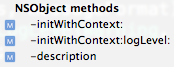
I divide instance level methods into two groups: NSObject methods and MyLogger instance level methods. The NSObject methods are override methods, such as init and description. The init methods in MyLogger are actually two customized CTORs(constructors).


#pragma mark -
#pragma mark NSObject methods

- (id) initWithContext:(NSString*)loggingContext {
  if (self = [super init]) {
    self.level = gInstance.level;
    self.context = loggingContext;
  }

  return self;
}

- (id) initWithContext:(NSString*)loggingContext logLevel:(MyLoggerLevel)intentLoggingLevel {
  if (self = [self initWithContext:loggingContext]) {
    self.level = intentLoggingLevel;
  }

  return self;
}

- (NSString*) description {
  NSString* s = [[NSString alloc] initWithFormat:@"Mylogger instance - level: %@, context: %@",
     nameOfLevel(mLevel), mContext];
  [s autorelease];
  return s;
}


The description method may not be required. It just occurred to me with crashing within MyLogger class once and the description provides me some help to identity MyLogger class with its internal private data member information.

There is another one NSObject related method: dealloc. I called it as memory management. It contains very simple codes:

#pragma mark -
#pragma mark Memory management

-(void) dealloc {
  self.context = nil;
  [super dealloc];
}

My next blog will focuse on MyLogger instance methods.

Reference

Read More...