Friday, May 09, 2014

TnDao: Chinese Version of TED

TED is my favorite web resources I watch for talks about new ideas and views, technical or none-technical topics. Actually, I was involved in its translation program as volunteer and I did some video subtitle translations when I found some excellent talks.

I knew there is Chinese TED, which is called as TEDToChina. This one has been very active. Most contents there are from English TED talks with Chinese translation. Many Chinese like this web resource to open to new ideas, concepts,  and views. I have couple friends there based on strong interest in TED.

To my surprise, two days ago, I found another similar version of TED, totally in Chinese, from China. It is TnDao. It initially started in 2011 from Shanghai. Now it makes its great impact wave to Beijing. The most interesting thing of TnDao is that all the talks are concentrated on issues in China.

I watched some vedio presentations in past two days. I could not stop watching after starting one. They are really eye-open views about current China. Some make me excited, but a lots of them make my heart sad, and heavy. There are so many social issues like poor children, drags, and others. It is good to know that there are so many intellectual, talent and influential people from all levels in China realize those issues and they invest their time, efforts and money to deal with.

I just by-chance know about TnDao from Weibo, Chinese Twitter and Ximalaya, a voice based social network like internet radio. Web, internet and mobile apps are in big wave in China. There are so many people already using those technologies and services. I often talk to my English speaking friends and co-workers that now days Chinese is a very important language in social life with technology.

References


  • TnDao, Chinese version of TED with truly Chinese topics.
  • Ximalaya, Listen to what you want, anywhere and anytime, Internet Radio with huge contents of voices in Chinese.

Read More...

Thursday, May 08, 2014

.Net var (C#) Almost Everywhere, One Exception

Starting from .Net 3.0, Microsoft introduced type var in C#, as a simply way to binding strongly type. This is a very convenient way to define variables. Basically, .Net will be smart enough to infer correctly data type. It makes code maintenance and update much easy and no need to change data type in case variable types changed. I like it very much and use var almost everywhere.

However, recently I found one case this var is not able to infer explicit data type. In the case of dynamic delegate, you have to use explicit delegate type:


var myDelegate = delegate(int valueA, int valueB) { return valueA + valueB; };

.Net cannot infer what delegate type is for myDelegate. You have to use the explicit delegate type in this case:

delegate int SumOfTwoValues(int v1, int v2);
SumOfTwoValues myDelegate = delegate(int valueA, int valueB) { return valueA + valueB; };


I found this interesting exception when I was sharing my knowledge about delegate with my co-worker.

Read More...

Tuesday, April 08, 2014

iOS 7 Training Course by Stanford University

iOS 7 training course, Developing iOS Apps for iPhone and iPad, offered by Paul Hegarty, University of Stanford was published on Oct 28, 2013 at iTunesU. I did not realized its availability until today. Actually WWDC 2014 will be on June 2, 2014. New iOS features will be announced in about two months time.

Here is the description of the course:

Updated for iOS 7. Tools and APIs required to build application for the iPhone platform using the iOS SDK. Users interface designs for mobile devices and unique user interactions using multi-touch technologies. Objective-oreiented design using model-controller paradigm, memory management, Objective topics includes: objective-oriented database API, animation, multi-threading and performance considerations.

Prerequisites: C language and objective-orianted programming experience

Recommended: Programming Abstractions.

Offered by Stanford School of Engineering and released with Creative Commons BY-NC-SA licenses.  If you have disability-related accessibility question, please email cs193p-accessibility@lists.stanford.edu.

Couse Outline

I. Couse Introduction, Overview of iOS, MVC Objective-C
II. Xcode 5
III. Objetive-C
IV. Foundation, Attributed Strings
V. View Controller Lifecycle

This course is on the top of Cources in iTunesU.


Today I finished the first course. I am going to update this blog with my progress.


NameFinished DateNotes
1. Class Logistics, Overview of iOS, Objective-C2014-04-08MVC is explained in 1st lesson!
2. Xcode 52014-04-09Created card matching game (Matchismo) project in Xcode 5
3. Objective-C2014-04-09Updated the project with model class CardGame class. Demonstrated communication between Controller and Model & View in Xcode.
4. Foundation and Attributed Strings2014-04-09More on Objetive-C, id, introspection(query id class type and method implementation; Foundation: NSObject, NSArry, NSNumber, NSData, NSDIrectionary, NSUserDefaults, NSRange, UIFont UIColor, NSAttributedString(new in iOS 7).
5. View Controller Lifecycle2014-04-10Continue on attributed string with UITextView (new attributed string for the view). View controller lifecycle and Notification (radio station communication mechanism) with new Attributor demo project.
6. Polymorphism with Controllers, UINavigation, UITableBar2014-04-10Polymorphism: Subclass and abstract class; MVCs controlled by navigation or tab controllers.
7. View and Guestures2014-04-11Views are most often constructed in Xcode graphically. Override drawRect:for customized UIView class, to draw your own staff.  Use UIBezierPath to draw.  Drawing text: UILabel, NSAttributedString.

UIGuestureRecgonizer  for accept inputs: pan, pinch,  rotation, swipe, and tap.

Demo: SuperCard: draw card in customized view class, and handle swipe gesture to turn card, pinch gesture to scale card image.
8. Protocols, Blocks and Animation2014-04-12First two are very important coding practices in Objective-C. Block of codes can be attached to methods as a way for customized implementation. iOS 7 adds two ways to do animation, view animation methods and animator with behaviors. Demo DropIt project shows the power of animations.
9. Animation and Autolayout2014-04-13Continued the previous demo on animation: less tippy, add trap to dropping view with line.
Autolayout is powerful in iOS 7. Paul explained three ways to do it in Xcode: 1. use guidelines, 2. tools in Xcode bottom, and 3. control-click.
Demo: update previous Attibutor project with auto layout, simple and nicely done!


10. Multithreading, Scroll View2014-04-13iOS 7 utilizes blocks to make multithreading much easy to manage and control. Demo project imaginarium shows downloading image with multithreading technique and scroll view to host image with zooming feature.
11. Table View and iPad2014-04-14Table view has been in iOS since iPhone first version. It is a very popular way to show data. Paul showed activity indicator for table view. This may be something new in iOS 7. The second part is about iPad. Demo: universal app Shutterbug displaying photos from Flikr.
12. Documents and Core Data2014-04-14Document is used for storage, here Core data is using it as storage. Core data has been in iOS for long time, but it has been updated extensively. Xcode provides working nice UI and classes for data creation, update, deletion and query. Paul explains basics in a clear layout logic.
13. Core Data and Table View2014-04-15This lecture contains a lot of information about core data, radio notification pub and sub, application delegate, and background execution. All are explained quickly in Photomanian project.
14. UIApplication, Network Activity2014-04-16Briefly on UIApplication: sharedApplication and delegate. One property networkActivityVisible, maybe confusing when you have a lots of activities and turning it on or off. Demo Photomanian, iPad, show photos, and popover. Maps: core classes for Maps. Tip on working on iPad or iPhone, copy and paste storyboard!
15. MapKit and Embed Segue2014-04-16Quickly through MapKit classes. Continued to Photomanian demo, iPhone: replaced PhotoByPhotographer's tableview with mapvuew; iPad: two ways to show maps and photos, first one similar to iPhone's flow out, and second embed view by embed segue, very cool!
16. Modal Segue and Text Field2014-04-17Last segue in this lecture. The only difference is unwise segue, set action to storybord green icon in view. Text field is for text input in one line. Demo: Photomanian, add photos from camera (no camera information in this class) by modal segue, alert view, cancel or add a photo to photographer.

Also showed how to start CLocation manager and to get location of latitude and longitude. 
17. Camera, Core Motion, Application Lifecycle2014-04-18Camera: continued to demo Photomaian to add "Take photo" to new photo view.

In second half, Paul explained Motion APIs first, then he demoed a project Bouncer with no storyboard, all in codes, redBlock and blackBlock to bounce based on animation and motion manager. 
18. Localization, Adding UI to Settings2014-04-18Paul showed tick to localize strings: search for @" in .m, #define for localization, and then gesturing in finder to generate strings. Xcode provides UI for stroryboard localization. Use . for localized strings. Demo: Photomanian localization

For settings, Paul uses Bouncer as demo to as slider for alacrity setting.


Read More...

Monday, April 07, 2014

PS Function: Convert Collection of PSObjects

PS Table-view is a very useful view to present collection of PSObjects. This works well with PSObejects with just simple and single value properties, such as name, age, telephone number etc. However, if there is any properties with collections, the layout may be too for for those long list of collection objects.

I find out a great way to convert collection of PSObjects with collections as its properties. It works very well to break collection of values as multiple lines in column so that the layout of table view is much tight and clean.

Here is the function:

#FileName: UtilCollection.ps1
#================================
#FUNCTION LISTINGS
#================================
Function ConvertPSObjectCollection {
<#
   .SYNOPSIS
       Gets a converted collection of PSObjects so that the converted
   collection can be nicely displayed in table-view.

   .DESCRIPTION
       This function will convert a collection of PSObjects with
   one or more array properties to a collection of PSObjects so
   that the colleciton can be output to a nice and tight table view.
   
   The input collection contains PSObjects with one or more array
   property element. Normally array elements are too wide to be displayed
   in a table-view. By converting collection, the returned colection
   can be viewed nicely in table-view.
   
   This function is based on SO solution http://stackoverflow.com/questions/22723954/powershell-autosize-and-specific-column-width

   .PARAMETER CollectionPSObjects
       Mandatory. Collection of PSObjects, PSObject have one or more
   property of array data.

   .INPUTS
       Parameters above

   .OUTPUTS
       A collection of converted PSObjects with same prorperties
   but array elements as rows in the collection so that the
   collection can be nicely formated output to a table view.

   .NOTES
       Version:        1.0
       Authors:        David Chu
       Creation Date:  10/04/2014
       Purpose/Change: Initial function development

   .EXAMPLE
       $myCol = @(
       (New-Object –TypeName PSObject –Prop @{'id'='01';'name'='a';'items'=@(1,2,3);'others'=@('SampleA1','SampleA2')}),
       (New-Object –TypeName PSObject –Prop @{'id'=@('02a','02b');'name'='b';'items'=@(1,2,3);'others'=@('SampleB1','SampleB2','SampleB3','SampleB4','SampleB5')}),
       (New-Object –TypeName PSObject –Prop @{'id'='03';'name'=@('c1','c2');'items'=@(1,2,3);'others'='SampleC'})
       )

 $myCol1 = ConvertPSObjectCollection $myCol
 $myCol1 | FT ID,Name,Items,Others -AutoSize
#>
   [CmdletBinding()]
Param (
[Parameter(Mandatory=$true)] $CollectionPSObjects
)
Process {
 $m_result = $CollectionPSObjects | %{
     $Current = $_
     $Members = $_|GM|?{$_.MemberType -match "Property"}| `
     Select -ExpandProperty Name
     $Rows = ($Members|%{$current.$_.count}| `
     sort -Descending|Select -First 1)-1
     For($i=0; $i -le $Rows;$i++){
         $LoopObject = New-Object PSObject -Property `
       @{$($Members[0]) = if($Current.$($Members[0]).count -gt 1) { `
           $Current.$($Members[0])[$i] `
         } else{ `
           if(!($i -gt 0)){ `
             $Current.$($Members[0]) `
           }else{ `
             $Null `
           } `
         } `
       }
         If($Members.Count -gt 1){
             $Members[1..$Members.count]|%{
                 Add-Member -InputObject $LoopObject `
           -MemberType NoteProperty `
           -Name $_ `
           -Value $(if($Current.$_.count -gt 1) { `
             $Current.$_[$i] `
             }else { `
               if(!($i -gt 0)) { `
                 $Current.$_ `
               }else{ `
                 $Null `
               } `
             } `
           )
             }
         }
     $LoopObject
     }
 }

 return $m_result
 }
}

References


Read More...

Wednesday, April 02, 2014

Three Shortcuts of PowerShell Script

Recently I have been writing PS codes at work. PS is a really good and powerful script language in Windows environment. I have never learned it systematically or from basic concept to advanced level.  Based on my other programming skills, I just pick it and use it at work. In most cases, I just do the internet search for solutions if I don't have clue how to resolve my problems. Therefore, I have been on and off depending on my work requirements.

Still I don't know some very basic concepts. Here are three most commonalty used code cases:

%{....}
@{....}
?{....}


I just use them based on other people's codes. For these three shortcuts, I have trouble to google explanations. Finally, last week, I got an answer from SO.

%{...}: ForEach{}
@{...}: Constructor for hash table
?{...}: shortcut for Where {....}

References


  • SO comment discussion on Francis Padron's quetsion.

Read More...

Sunday, July 21, 2013

My SO Reached to 6K

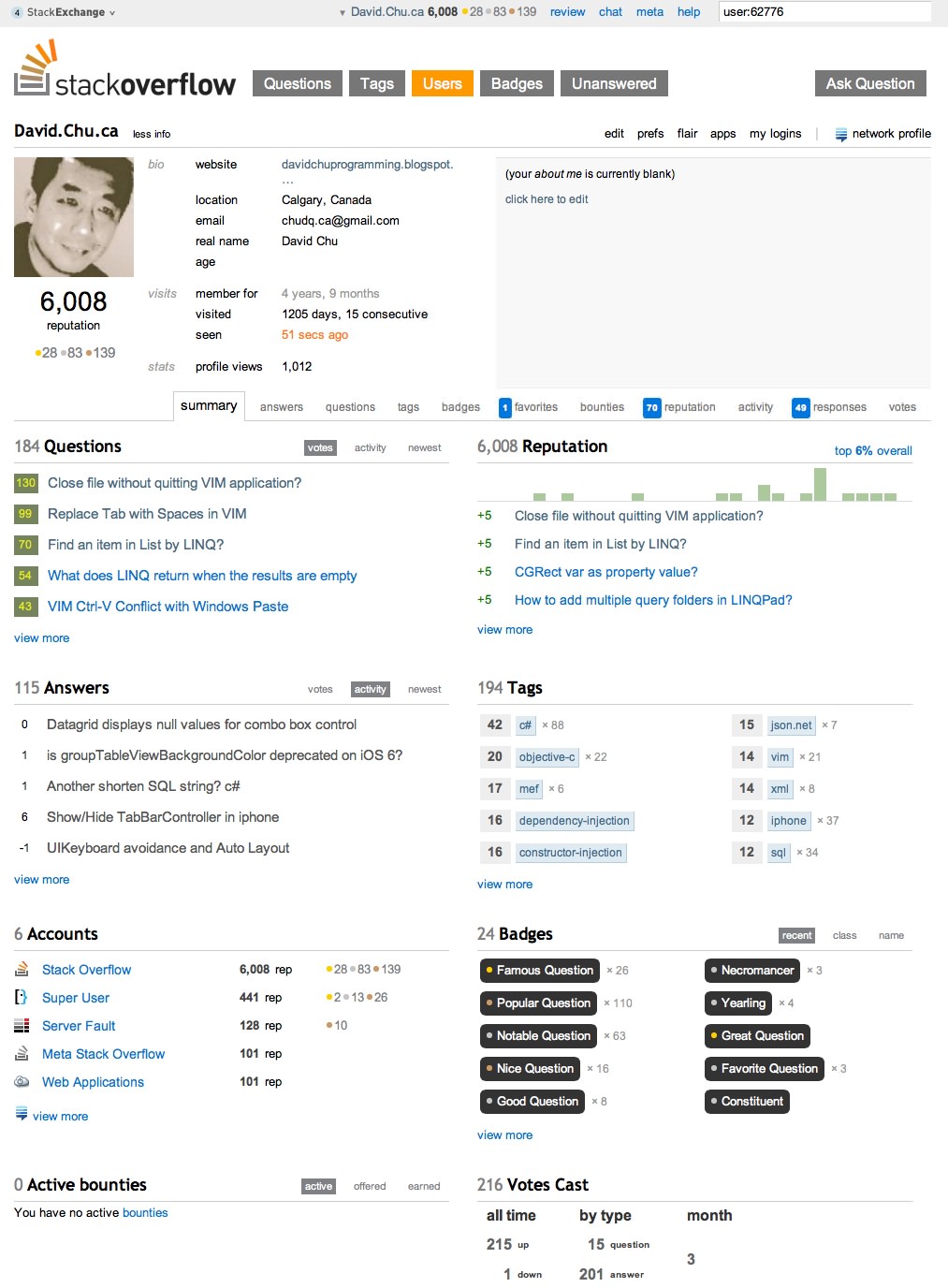
Yesterday, my StackOverflow reputation reached to 6003 on July 20, 2013. I have not been very active on SO actually during the period time from 5K Dec, 2012 to today. That's all my past activities contributed to the growth. On the other hand, it is the evidence my Q and A are valuable for some people.

However, since I was active on SO, my previous contributions and efforts have been recognized by other users on SO. As a result, my reputation has been kept grow. The following is the snapshot of my 5k moment:


The main reason I have been rarely on SO is that my current work is apart from development. I have been working as application supporter within a group under HP.

Even though my work is not development related, there are couple people in our team developing small tools for our support work. When I see their codes, I see there are so many areas the codes could be much better, in terms of architecture, code resizability, and modularization. I have been volunteered to train a young developer to tune-up his codes. This is great chance for me to review I did several years ago. I did realized some enhancement in my codes as well, which are used as library for my colleague.

Read More...

Sunday, June 30, 2013

WWDC 2013

Apple Worldwide Developers Conference, WWDC, 2013 was held from June 10-14 at San Francisco. It has been over already for 2 weeks. This time, the session videos of technical talks was available right on the second day of the conference. The first time, all the talks are available directly from web browser. I started learning and watching all the shows. This saves my time to download shows and disk spaces as well.

The convenience of on-line shows is that it will automatically adjust video quality depending on demands. I don't need to get HD in order to watch the clear videos. There is additional option to get HD, SD and PDF. Since what I need to get the content, I have not bothered to do any downloading.

References


Read More...

Friday, May 31, 2013

Weight Loss Program Result

I started weigh loss program on February 1, 2013. After four months, what is the result? The program actually was planned in two month. However, something happened after one month. In March, I learned about the event of Scotiabank Calgary Marathon 2013. Soon I registered the event. That's why it takes me so long time to see the result.

During the first month, I tried to keep one hour physical exercise every day. Eat small meals and add one or two Attain drinks as snack food. It went well, however, the progress is slow. That's why when I knew about marathon event, I decided to take it: running is a very exercise to burn fat.

My preparation for marathon has been very intensive, about 10+km for 3 days a week, and one 30-44km at weekend. I use Access bar as a way to supply energy from fat. I could immediately see the result of losing my weight.

I finished my first official marathon on May 26, 2013. This is also the end of my weight loss program. Here are the result:

  • Weight: 67kg, losing 7kg from 74kg
  • Belt waist: 86 cm, reducing 8 from 94 cm
From this experience, I feel that even though the losing weight by burning fat is really hard, the program is really effective. With Attain drinks and Access bars, it makes it much easy to accomplish my marathon dream. I can say that with those tools, I could not finish my run. I have learned so much about how to do exercise comfortably and safely.

References


Read More...

Tuesday, May 28, 2013

I did It: Finished Marathon!

I did it on May 26, 2013: finished my first Marathon run at the event of Scotialbank Calgary Marathon. On that date, Sunday, it was a very nice day, sunshine with no wind. I got up very early at 5:10am, since the run starting at 7:00am sharp. My wife dropped me at LRT station. Almost all early riders are runners towards to Stampede Park.

Even though I had several Marathon tries during my preparation in the past two months, this is my first official Marathon in public event. I had a strong start at 5'06"/km for the second one km (the first one I was in the middle of the start, and I took some pictures and videos). The five minutes pace was kept up to 15k. Then my wife waited me there to fill my drinks, 8'23" at 16k. Then I kept my less then six minutes to 22k.

After that, my run was still in constant pace up to 6 minutes. I kept running all the route. I achieved my best result in 4:26:33, at average 6'11"/km pace!

NameCHU, Daqing
EventMarathon
DivisionM5559
Gun time04:26:33
Chip time04:24:58
10KM split00:55:03
21.1KM split02:02:46
30KM split03:02:48
Event Placement585 of 986
Sex Placement430 of 633
Division Placement26 of 41

When I finished my run, I was still filled with energy. Still I felt my foot sore at that time. In the afternoon, I had about one hour walk along the river, the route I had my preparation running before. This realization helps me a lots. Yesterday I went work. Today I feel full recovered back to normal.

Here are some photos I am going to order, sent by Marathonfoto:


For my participation as a fundraiser, I raised $1,415 as to date for Alberta Cancer Foundation.

References


Read More...

Wednesday, April 24, 2013

Three Must Watch Speeches

Today I read a message in Weibo about three speeches one must watch in life-time. The first one is the speech by Steve Jobs at Stanford University. I knew this one long time ago. Actually this one is the one changed my view about Apple. In 2007 I switched my focus more on Apple, Mac OS, iOS and its related technologies.

The other two I do't know. I took time to watch them. They are also very inspirational ones. I like them very much. One is the speech by J.K. Rowling at Harvard University and the third one is the last lecture by Randy Pausch. Their in-deepth sight and passion hit my heart. I think that they will have the same influence and impact on my life as Steve Job did.

Here are speeches:

Steve Jobs at Stanford University


J.K. Rowling speech at Harvard University:

Randy Pausch's last lecture:

and Randy Pausch 10 minute speech:

At the tudou video sharing site, Randy's speech with Chinese subtitles:

Read More...

Wednesday, April 17, 2013

Tips on using Microsoft Office

Here are two tips on using Microsoft Office. I use Microsoft Office at work on various works, including support and development documentations. Office documentations are common way to communicate at work.

The first tip is a simple one. In many cases, we need to copy content of an Excel cell as text. If you use normal copy by control+C key, actually you will get some extra information. This results in formats or extra carriage return be pasted. To copy text only, you can select text in the top input area next to toolbar items. Copy the text there will only get plain text only.

The second tip is about Word file. I like to use style to format text in word documentation. The style is something like css classes. You change one style, and all the text assigned with the style will be changed automatically. The second advantage is to layout the documentation by styles, such as title, heading 1, heading 2 and so on.

In the toolbar area, there one dropdown box for existing or current used styles. This list does not list all the predefined styles there. It is tedious to enable all the styles. One thing I noticed is that the dropdown box is editable. You can type in a style name. If it exists, it will be loaded. For example, Title is not normally in the list, but you can type it to bring it out. This is very handy way to use styles you remember.

Those are two very simple ones, but I use them very often.

Read More...

Saturday, March 30, 2013

Challenge: My Participation in Calgary Marathon 2013

Today I have registered the run of Calgary Marathon 2013, one day before the special register fee.

In the past month, I have practiced several times over the weekends to run along Bow River path trail. In about two month time, I'll challenge myself to run the full Marathon, the first try in my life time. I am very exited to take this challenge and going to prepare myself for the full run. My goal is to finish the run in about five hours.

Within my fundraising web site, I add a video of my previous practice running in March. One time I run from Edworthy Park to Prince's Island, Downtown Calgary, return back, and another time extended to Calgary Zoo, a return run. The third try was from Bowness Park to Calgary, but return only to the 7-11 store at Crowchild Trail on the Bow river side. I was exhausted.

I understand that this is a very huge challenge for me. I have never run the full length of Marathon before, even during my preparation in the past month. One thing I keep in mind is that I am not going to run very fast, but a none-stop run. I'll not run crazily to hurt myself, just within my conformable level. I know my limit, but I have several secretes to help to finish the run. I'll make my best effort to take the challenge. I hope I'll be able to make it.

As my effort to support Charities, I choose to raise funds for Alberta Cancer Foundation with my participation in the event. Please help me to donate your contribution as an incentive for my run.

References


Read More...

Nike+ Running App

Yesterday I had an another great run. This time I used Nike+ Running app for iOS to help me to record my running. I was going to get a Nike+ sensor, but I found that that sensor is only of iPod. Nike+ sensor is old technology. Now with iPhone GPS, there are many other better apps available for tracking running. Nike+ Running is one of them and it was free when I got it yesterday.

I gave it a try with close to two hour run, about 16+K. One of great features is that it, by default, keeps announcing my running status, such as distance, time and speed every one kilometer. I had clear picture of overall running. I kept running at even pace, so that I was able to control my energy during my run. After running, I can see my running statistics. All those data are also available at Nikeplus web site with my personal login. That's great. With this app, it will be great tool to know my strength, energy level and progress.

Here is my stat about my average speed:


The app saves my running route as a map:


And this are my overall numbers:


This is a great app!

References


Read More...

Tuesday, March 26, 2013

My Plan to Run Marathon

In the past 4 weeks, I have been in preparation for Scotiabank Calgary Marathon 2013. I got this news from a local news group. I was immediately attached by this event. The reason I am interested in this program is that I have been on a weight loss program. At the time I knew about the marathon, I was already in one week in the program.

Basically, the program is based on a package of products from Melaleuca. It recommends to change three meals in to three smaller ones. To overcome craving, it suggests to add two snack foods between meals. The snacks are Attain or GC Attain, which is based on a technology with natural ingredients to block craving desire. All those are for reducing calories input.

Another key element in the package is to use Melaleuca's exclusive and patented Access bar. The bar itself does not have feature for burning fat. However, it can block adenosine effect, which locks fat release when energy is required during exercise. In other words, by taking the bar 15 minutes before exercise with empty stomach, it will allow fat to be released when energy is required.

I like running exercise. It is a outdoor activity. By running long distance, it will push hard on my body for energy, as a result the energy from fat. I have never tried marathon run before. That's why I would like to take this opportunity try out Melaleuca's weight loss program.

This was my first long distance run on Mar 1, 2013. It was about 15k.


The second weekend I added another 5k, extended from Prince's island to Calgary Zoo. The last weekend I added another 10K starting from Bowness Park to Zoo, and then back to Crowchild Trail at river side. During those long distance runs, I used Access Bat to help me to get more energy power.

In addition to all those weekend runs, I intentionally do more physical activities during week days. In the past week, I started to walk from 4th floor (this is the only lowest one to access to stairs, 1-3 doors are locked) to 23th floor twice a day, and run from 15th to 23th once. Those are great exercises to help me to build strong muscles.

Another great product I use is the Pain-A-Trate. This one has great effect to reduce muscle sore or pain. Without it, I would not be able to recover so quickly from my muscle sores.

References


Read More...

Thursday, March 21, 2013

Use HTML Button Tag in Blog

This morning I read an article on web. The article is a long serials one, but it does not show the whole article on one page. Instead, it breaks down into small ones and placed serval buttons at the end of each one: First, 1, 2, ..., Last. I like this style. I immediately related this to my blog. Sometimes, I do the same thing, but I use UL LI list tags to show them as a list.

I did some investigation. What I found are three basic ones. First is to use DIV or UL LI with CSS. Although it does provides flexible and nice layout, it is a little bit complicated. The most concern I have is that I have to define CSS styles in my blog headers. This is not an issue in Blogger, but my other blog web providers do not allow me to add CSS styles.

The second method is INPUT tag. It is very simple. It provide a button like UI. However, it is a single tag with limited layout enhancement.

The third one is BUTTON tag. With this tag, any HTML tags can be placed within open and close tags. I like this one very much. Both INPUT and BUTTON utilize OnClick event to trigger click or hit event. For my blog purpose, what I need is to direct to another URL, either in current document or a new window. This can be done by client side JavaScript. I'll show this later on.

Here I give it a try in this blog.

The following codes define two BUTTON tags. By using inline Javascript, one will open a URL (Apple web page) in another new window and another open Microsoft web page in the current window. Within each button, there is an image content with text on the next line.

<button type="button"
 onclick="JavaScript:window.open('http://www.apple.com')">
 <img src="http://images.apple.com/home/images/billboard_ipad_hero.jpg" />
 <br/>Go to Apple... make my day!
</button>
<button type="button"
 onclick="JavaScript:document.location='http://www.microsoft.com';">
 <img src="http://compass.surface.com/assets/e4/38/e43802e2-8e9c-4fb9-80d6-f27fa6cf50df.jpg#1280_carousel_1_meet_surface.jpg" />
 <br/>Go to Microsoft... make my yesterday!
</button>

Here is another example with two buttons. I added a SPAN tag with TITLE attribute so that each button has a tooltip when you move mouse over the button.

<button onclick="JavaScript:window.open('http://davidchuprogramming.blogspot.com/2004/05/my-first-blog-entry.html')" type="button">
<span title="First blog">||&lt;&lt;</span></button>

<button onclick="JavaScript:document.location='http://davidchuprogramming.blogspot.com/2013/02/communication-between-mvc-controllers.html';" type="button">
<span title="Previous blog">&lt;</span>
</button>

Read More...

Thursday, February 28, 2013

Communication Between MVC Controllers

When there are more than two MVC controllers, controllers need to pass data or send notifications between two controllers. For example, a table list controller, parent, may push to an item edit controller, child, when an item is selected. The easiest way to is to set a property in child controller and pass the reference to parent controller to child's property. However, this strategy has one drawback: strong binding between parent and child controllers. In case the parent controller is changed to another kind of controller, the property of child has to be updated.

The alternative way is to implement delegate in Objective-C. Define a delegate in .h, then keep communication by defined methods in the delegate. Here is the steps of this strategy.

Define a Delegate

The delegate provides APIs to pass data or to send notifications. For example, the following codes define a update method:

@protocol MyEntityEditDelegate <NSObject>

- (void) updateEntity:(NSIndexPath *)index;

@end

Add a Delegate Property in Parent Controller

The next step is to implement the delegate property in the parent controller. This breaks the strong binding between the parent and child. The child will call parent by the delegate APIs.


@interface ParentListViewController :
    UITableViewController <..., MyEntityEditDelegate>

....
@end

Define a Delegate Property in Child Controller

The last step is to add delegate property in the child controller. This will let the child hold a reference to its parent by delegate.

@interface ChildEntityEditViewController : ...

@property (nonatomic, weak) id<MyEntityEditDelegate> delegate;

@end

Notice that the property type is id<...> type. This prevents the coupling between the parent and child.

Read More...

Monday, February 18, 2013

What is the Next Big Thing for Apple

This is a question most people ask today. There are many rumors about iWatch, a wearable device can be attached to human body. Personally, I think this is a tip of iceberg, and it must be a part of Apple eco-system.

In the past, from Apple's WWDC seminars, I noticed that Apple has been very interested in BLE (Bluetooth Low Energy) technology. There was a demo about using iPod touch as a BLE device to communicate with iPhone. This is a open standard protocol and has great application potential in many areas.

I remembered one Video of Steve Jobs' talking about what Apple learned from its past. Apple invested a lot in personal computer, OO technology and graphics OS. Steve was so fascinated with this. This came out of the result of Mac computer. One thing Steve mentioned that he missed out network and internet, the potential products in this area. Actually, from Apple's past, the company has invested a lots in this area with innovative technology, such as zero configuration networking or Bonjour.

With iPhone's success, I think this has been raised to top priority of Apple's next technology innovation. iWatch is just one device for motion monitor device (MMD). It seems that Apple is also working on motion event device (MED) as well.

The next big thing is built from the past technology or concept in Apple for long time. When it is out, I think it will be a big surprise WOW for consumers. This will be not just one single device. This is a whole system with iPhone and mobile devices. The innovation will be built on a solid system and it will an open system for developers.

Read More...

Sunday, February 10, 2013

Update my Codes to iOS 6

After I updated my Xcode to 4.6, I got several compiling errors when I tried to compile my app. It seems that they are iOS 6 related.  Most of them are easy to fix. However, I had a little bit hard time to nail down two.

The first one is block related. I used self within block. In Xcode 4.6, this is a potential memory issue: Capturing 'self' strongly in this block is likely to lead to a retain cycle. With the help of SO, I quickly found the solution: using __weak prefix to capture self as none-retaining variable. Then use the var in the block.

if (entity.imagePath) {
   __weak UITableViewController *weakSelf = self;
   // Load image from entity to doc helper with handler
   [self.docHelper addImageDocs:myDoc
            withCompleteHandler:^{
                [weakSelf.tableView reloadRowsAtIndexPaths:
                   aPath
                   withRowAnimation:UITableViewRowAnimationBottom];
            }];
}

The second one was tough for me, because it is Storyboard related. The warning only indicates a potential issue but I could not locate it: table view background color is deprecated in ios 6.0. In a similar way, I got an answer from SO. But in my case, I have too many views and components. It is hard to locate the issue. Eventually, I found a way to view the storyboard as XML text and soon I located the deprecated color. I submitted my answer to SO.

References

Read More...

Friday, February 01, 2013

Start Weight Lost Program

I t has been two weeks after my vacation from China. I read a news from Melaleuca about weight lost program. Basically, the program works in a simple way: reduce daily large meals into small ones, meal size like my fist. Take GC Attain or Attain between meals to replace snack food. Exercise 45 minutes daily, and take a Access bar before walk out. Optional: take PfoFlex20 within one hour after exercise.

Today I sent my application to Melaleuca. Here are my numbers:


  • Weight: 74Kg
  • Belt waist: 94 cm
  • Height: 1.72m

I also took a photo before I start the plan today. I'll see if I'll loss 10% after the ten week plan.

Reference


Read More...

Sunday, January 27, 2013

New Year Resolution

Just come back from my visit trip to China. I spent about 3 weeks there in Wuhan and Beijing to visit my parents and family relatives. During my stay in China, I had some time to think about the new year 2013. In the past year, my work switched to application support. Therefore, I had less time on software development. In 2013, I think this will be the same.

The only thing I will do is my Mac or iOS development. I think I have layout very solid foundation already. I have started several projects, but not finished yet. The only way to make progress is to make personal commitment. I have set up my year 2013 resolution: first, loss weight 10%, to about 150p. The second one is to commit two days after work time on my iOS development. With this effort, I'll be able to finish my long-over-due project.

Start from this week!

Read More...